Editor's note: This piece was originally published in November 2026 with the latest industry news and benchmark data.
In the Thomson Reuters Institute’s 2026 Legal Department Operations Report, 28% of general counsel named AI technology their top strategic priority, and 48% cited staffing and resource constraints as the number one challenge to delivering value.
The data reveals the pressures most legal teams face today: they’re over-burdened and under-resourced, and prioritizing automation is how they can close the gap.
Automating intake with legal intake software is one of the highest-impact levers legal teams can pull. This guide covers what legal intake software is, why in-house legal teams need it, what it does, and the best tools to consider in 2026.
In this post:
What is legal intake software?
Why do in-house legal teams need legal intake software?
What does legal intake software do?
Best legal intake software for in-house teams, ranked and reviewed
Benefits of legal intake tools for in-house teams
Challenges of adopting legal intake software
Legal intake software is the system a legal team uses to capture every incoming request in one place, triage it by risk, and route it to the right owner, which replaces shared inboxes and static forms.
For in-house legal teams, the “request” is any legal work that comes from other teams inside the business. This could include:
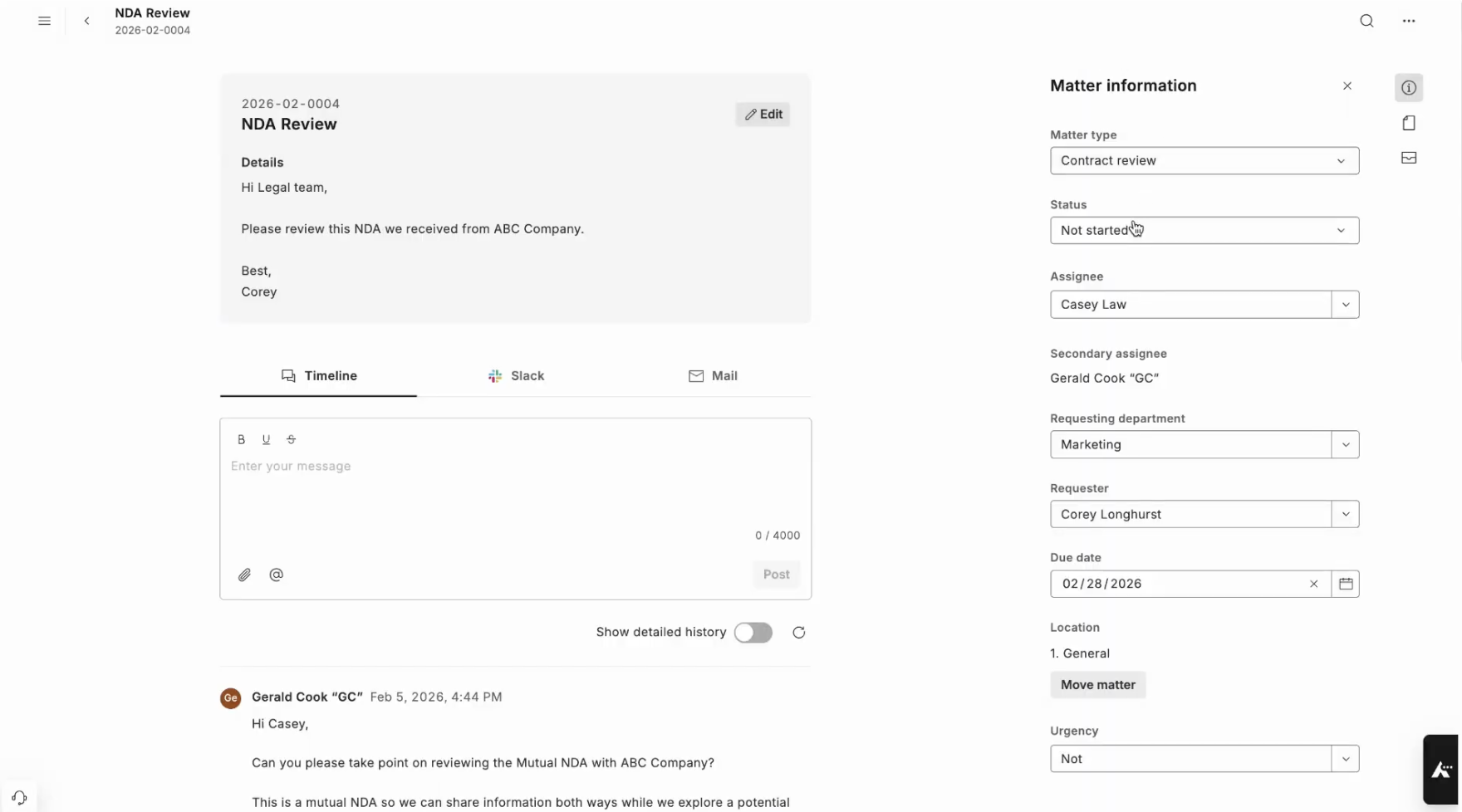
An in-house intake tool captures the request and automatically moves it into your team’s workflow. If you’re handling a high volume of contracts, the best tools go a step further and include AI contract review as part of the intake and matter management process.
→ Related Article: AI for Contracts: The Best AI Contract Review Software
The strongest legal intake software:
→ Related Article: Best Legal Matter Management Software for In-House Teams
“Legal intake software” can have different meanings depending on whether it’s referring to law firm client intake or in-house legal intake. We break down the differences below.
Law firm legal intake software handles client case intake. It captures a prospective client, converts it into a signed engagement, and funnels it into a new matter. It’s the law firm equivalent of a sales funnel.
In-house legal intake software handles internal work, and there’s no lead to convert. The job is to capture a question or contract from across the business, triage it by risk, and route it to the right person for execution.
Since both share a similar workflow—a request comes in, gets captured, gets routed, and becomes a matter—it’s easy to confuse the two. Most tools specialize, serving either law firms or in-house teams.
This guide is for in-house legal intake tools, with notes on where a law firm may also benefit.
In-house teams need legal intake software because while work demands keep rising, headcount stays flat, and legal platforms are the only way to close the gap.
According to SpotDraft’s 2025 State of Legal Ops survey, 54% of in-house legal teams have five or fewer people, and 44% have no dedicated legal ops function at all. At the same time, 83% of in-house teams expect legal demand to keep rising, per the 2025 CLOC State of the Industry Report.
The traditional way to handle legal intake is to use a web form or a shared inbox, but they come with their challenges:
Legal intake software allows in-house teams to go from collecting requests, which leads to pile-ups, to triaging them and automatically funneling them into matter tracking.
Modern tools read an incoming request, classify it, route it, and even resolve it, requiring only final approval or oversight. This saves hours of work.
→ Related Article: In-House Legal Work: Where Do the Hours Go?
The best legal intake software captures, triages, and routes requests; offers self-service to business stakeholders; provides visibility to stakeholders; and feeds into matter management.
For teams searching for the best AI tools for legal email intake automation, this would be the feature to evaluate first.
Most legal intake tools allow you to connect an inbox to the platform, so that the “front door” remains the same to business stakeholders, while the system behind it works more efficiently.
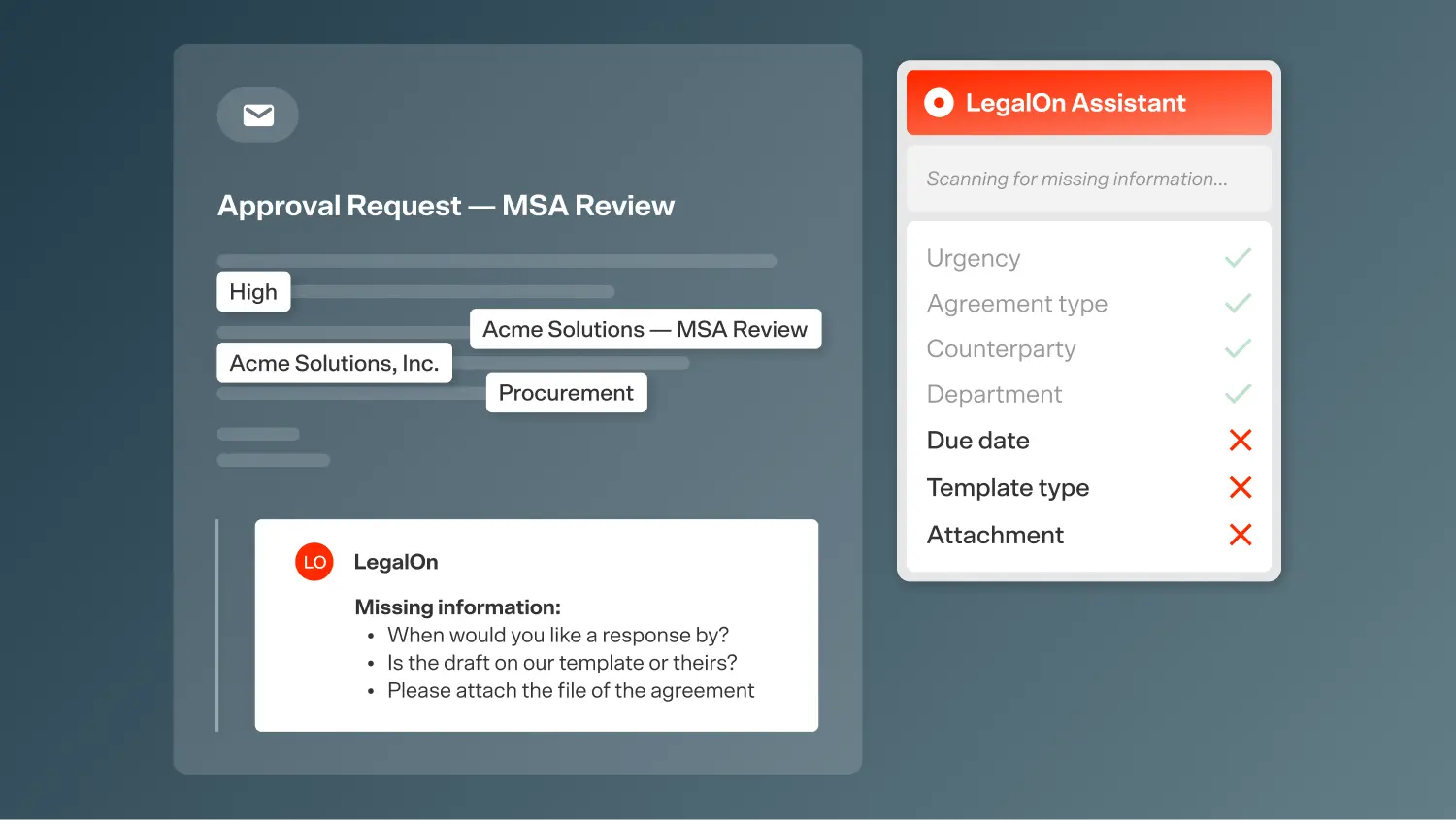
AI email intake reads unstructured requests sent to a shared inbox, pulls out the relevant details, converts each into a structured matter, and flags what’s missing.
It meets requesters where they already are while still giving your team a clean, trackable queue.
Legal intake software doesn’t just handle incoming emails. Every other request also enters the same system, no matter where it starts. That could be a web portal submission, a Slack, or a Microsoft Teams message.
One example is LegalOn’s legal intake agent, which is integrated with Slack and Teams to feed into your matter tracking workflows. Nothing lives in a personal inbox, and nothing gets missed.
→ Related Article: LegalOn’s Intake Agent Fixes In-House Legal’s Biggest Hidden Bottleneck
Instead of one of your team members reading each submission to decide what it is and who gets it, legal intake software classifies the request, assesses its risk or priority level, and assigns it to the most appropriate lawyer on the team.
The best systems do this with legal-specific logic rather than generic ticketing rules.
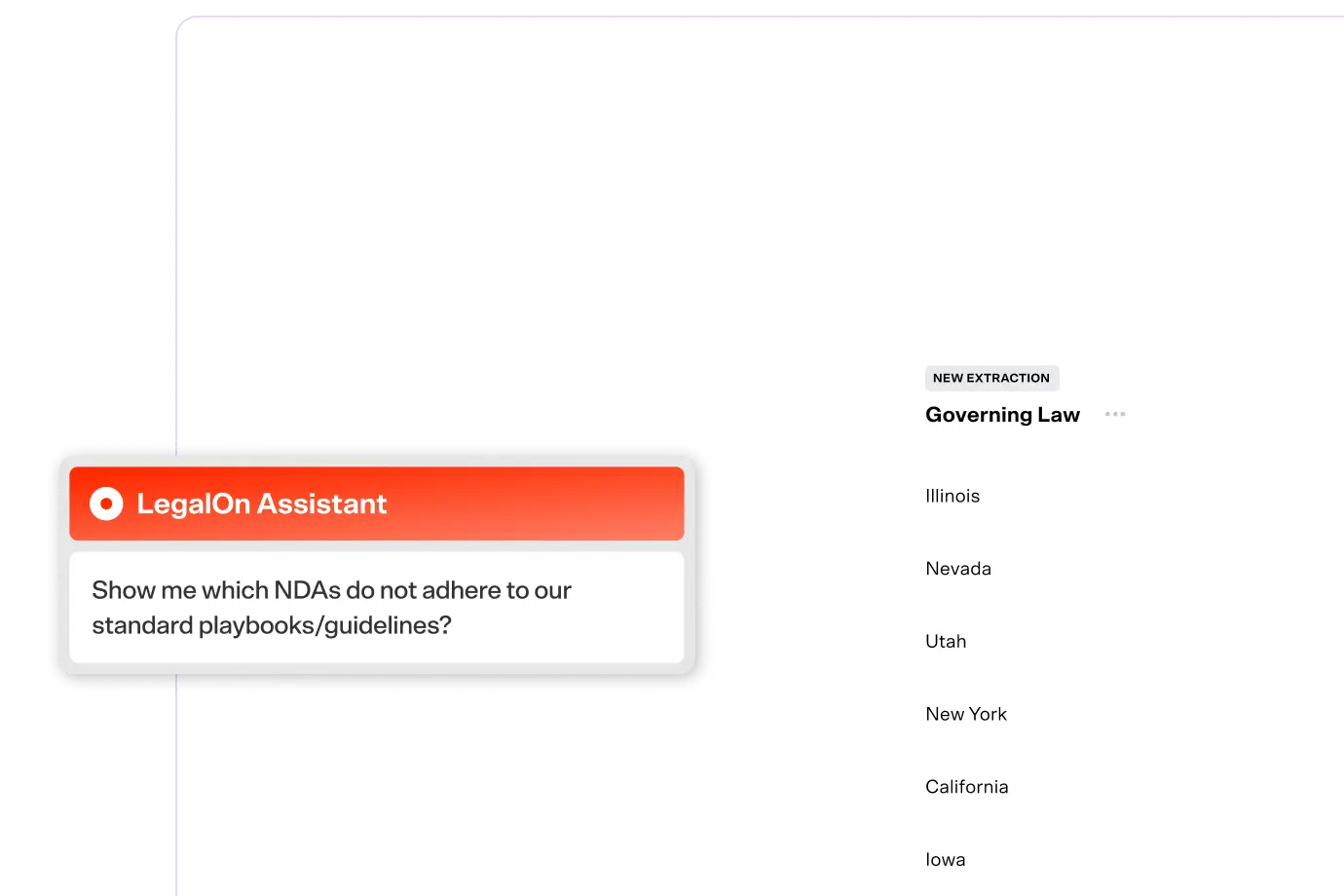
If you’re handling a high volume of contracts, some legal intake tools can even run a first-pass review against your playbooks, then route it to an attorney for final approval.
→ Related Article: We Built AI Agents to Do the Work That Slows Legal Teams Down
The fastest legal request is the one a lawyer never has to touch. Ideally, a legal intake tool answers common questions from external teams and deflects routine tasks before they reach the queue.
The software may include a stakeholder-facing chat interface and offer a self-service portal.
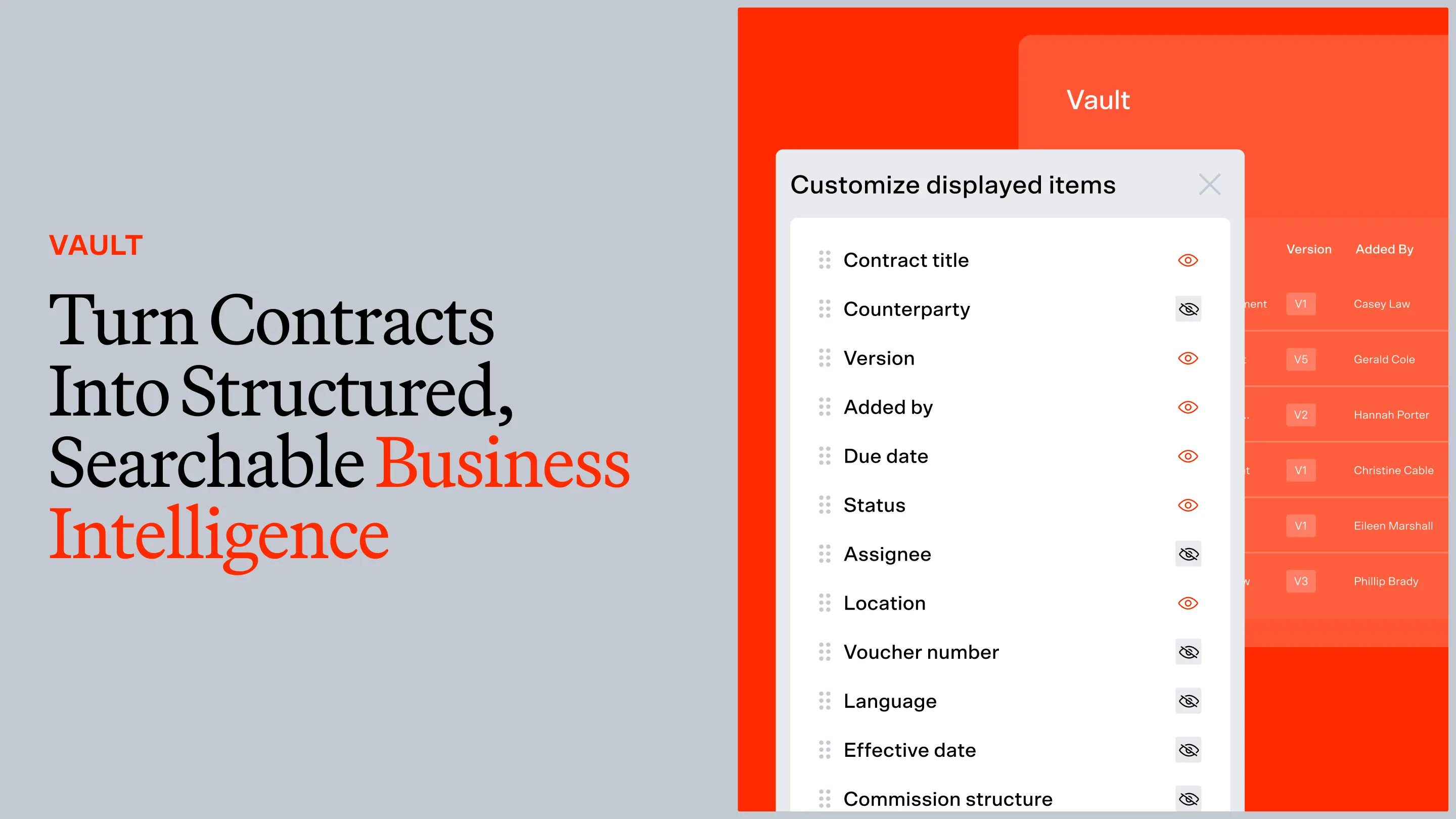
Managing intake is important, but reporting on volume and turnaround times is where legal teams can make the most operational and productivity gains. These are also the numbers a GC needs to justify headcount or a new tool.
→ Related Article: Matter Dashboard: A Real-Time View of Legal’s Work and Impact
In a strong legal intake tool, a captured request flows into matter management as an open matter with its context and priority already attached.
That way, the team can track it through to resolution and more efficiently close the loop.
While we ranked the following intake tools for in-house legal teams, we also specified where a tool might also be a good fit for specific use cases at a law firm.
The verdict: For in-house teams whose intake is dominated by contracts, LegalOn is the best choice. It starts the intake process with an attorney-built triage pass, screening every agreement against your own playbooks before a lawyer even opens it.
LegalOn is the legal AI platform for the full in-house legal workday, combining contract review, matter management, and legal AI assistance into one interface.
Its agentic workflows manage intake with all types of matters, but it is especially powerful for contracts. Its triage agent completes an automated, consistent first pass on an incoming contract based on 135+ pre-built playbooks or your own contract playbooks before a lawyer even has to look.
Your team assigns priority levels (high, medium, or low) to specific issues within each contract type. The triage agent then screens every incoming agreement against these and flags what falls or doesn’t fall within your standard terms. To do this, it runs on both attorney-built intelligence and institutional knowledge from your team.
Low-risk agreements like routine NDAs move forward fast, while nonstandard terms are escalated to a lawyer. From there, every contract flows into LegalOn’s Word-native AI contract review, and every matter populates the built-in matter management system.
You can also use LegalOn’s AI legal assistant to find answers for one-off questions from external stakeholders, or even to help yourself understand what a request is about.
→ Related Article: Legal AI Assistants: The Best Software for In-House Legal Teams
In-house teams using LegalOn see up to an 85% reduction in contract review time, and 98% of customers report immediate time savings. LegalOn works inside Microsoft Word and your browser.
Pros
Cons
Features: Triage agent, AI contract review, 135+ attorney-built playbooks, matter management, integrations, translation into 28+ languages.
Pricing: LegalOn offers a custom quote based on your team’s size and specific needs. Book a demo.
Best for: In-house teams whose intake volume is driven by contracts and who want triage, review, and matter tracking in one place.
Why we recommend it for law firms: Law firms that handle high volumes of transactional or commercial contracts get the same advantages using LegalOn as in-house legal teams. They receive a consistent, playbook-based first pass that routes routine agreements away from senior associates.
LegalOn is not a client CRM, so firms focused purely on new-client case intake should pair it with a dedicated tool like Lawmatics or Clio Grow.
The verdict: The broadest front door on this list, Checkbox captures and triages every request type across the channels your business already uses, but it requires a special level of operational maturity to configure it well.
Checkbox is a no-code legal operations platform built around intake. Its AI legal front door software captures requests across Slack, Microsoft Teams, email, and a web portal, then triages each one through workflow automation.
Using Checkbox, your legal ops team can build custom intake forms and personalized workflows, and because intake, workflow, and analytics share one system, teams get end-to-end visibility from request to resolution. For departments consolidating a patchwork of forms and inboxes into one front door, it’s a great option.
The trade-off is that it requires an ops team to design and maintain it, but once that’s done, teams can expect to see up to 80% time savings on manual work.
Pros
Cons
Features: AI triage, multi-channel intake, no-code workflow builder, matter management, reporting.
Pricing: Contact Checkbox for a quote.
Best for: In-house teams that want one configurable front door for every type of legal request.
Why we recommend it for law firms: Checkbox is engineered for in-house ops and internal request intake. It could be good for handling internal requests within a law firm, but is not a great fit for client intake and retention.
The verdict: Streamline is the strongest answer for teams whose stakeholders will always email legal directly no matter what. Its AI email intake feature turns an unstructured inbox into a tracked, triaged queue.
Streamline AI is a legal intake, triage, and request-routing platform built specifically for in-house teams. Its AI email intake reads unstructured requests sent to a shared inbox, where AI then categorizes them and converts them into a structured output for final approval.
For teams with various intake streams, Streamline AI also captures requests across Slack and Teams and routes them by type and priority. The tool also includes reports on volume and cycle time, which a GC can use to show leadership where legal’s time is spent.
Like most broad intake platforms, it orchestrates and routes work rather than performing substantive legal work, such as contract review. The actual work must happen in a dedicated tool or be done manually by a lawyer.
Pros
Cons
Features: AI email intake, multi-channel capture, triage and routing, matter management, and analytics.
Pricing: Contact Streamline AI for a quote.
Best for: In-house teams whose core pain is unstructured inbound requests with no visibility.
Why we recommend it for law firms: Streamline AI is built for internal request management. Its email-triage approach could help a firm manage internal operational requests, but client case intake will still need a CRM-based tool.

The verdict: LawVu is the best choice for a legal team who collaborates closely with a law firm to resolve requests. It connects internal intake to legal spend management and outside-counsel collaboration, so a matter stays tracked, budgeted, and billed in one place.
LawVu calls its software a “LegalOS,” or a legal operating system. Every request comes in through intake, becomes a tracked matter, and—if it’s handed to outside counsel—carries its budget, invoices, and firm collaboration inside the same workspace. For in-house teams with heavy law firm spend and outside-counsel management, LawVu is an excellent option.
In LawVu, intake, matters, documents, spend, and e-billing live together, and there’s no need to stitch different tools together.
However, since it’s not a standalone intake tool, and spend management is only included in the full operating system plan, a team that only needs a front door may be buying far more features than it’ll use.
Pros
Cons
Features: Intake, matter management, legal spend management, e-billing, outside-counsel collaboration, reporting.
Pricing: Contact LawVu for a quote.
Best for: In-house teams that want intake to flow into spend and outside-counsel management.
Why we recommend it for law firms: While LawVu allows law firms and in-house teams to collaborate, it sits on the client side of the relationship. Firms running their own client intake and billing should opt for another tool.
The verdict: Ironclad is the best intake software for in-house teams who also want a full contract lifecycle platform around it.
Ironclad is a contract lifecycle management platform, and its intake is built around the contract request. A business user kicks off a contract, Ironclad captures the details, and the agreement moves through drafting, approval, and signature inside the CLM.
If you do want more powerful or custom-made intake workflows, Ironclad can integrate with Checkbox, but it would require subscriptions to both.
The connected contract lifecycle—from intake all the way to reporting—makes Ironclad a strong option for contract-heavy teams. That said, non-contract legal requests (such as employment questions, litigation holds, and general advice) will need a separate intake path.
Pros
Cons
Features: Contract intake, workflow automation, repository, reporting, integrations.
Pricing: Contact Ironclad for a quote.
Best for: In-house teams whose intake is primarily contract requests and who want a full CLM around it.
Why we recommend it for law firms: Ironclad is a strong fit for transactional practices managing high contract volume. For a client-acquisition CRM, see our recommendations below.
Put LegalOn’s triage agent on your own contracts. Book a Demo →
If you are a law firm and the request you’re capturing is a prospective client, the leading law-firm client intake platforms in 2026 are Lawmatics, Clio Grow, and Smith.ai.
Lawmatics is best overall for firms where marketing drives caseload. It comes with intake forms, e-signature, pipeline reporting, and marketing automation in one legal CRM.
Clio Grow is the natural choice for firms already running Clio Manage, with native intake-to-matter handoff.
Smith.ai is best for firms losing leads to voicemail or firms without a dedicated receptionist. It offers both AI-first and human-led phone call intake automation, then funnels leads into your CRM. It integrates with Clio and Lawmatics.
These tools handle lead capture, conflict checks, and client conversion, which is a different job from in-house request triage.
Legal intake tools benefit in-house teams by helping routine work progress faster, increasing capacity without new headcount, providing visibility, and enabling consistent triage on incoming matters.
With legal intake software, triage and routing take minutes and happen automatically. No need for a lawyer to open a shared inbox and sift through hundreds of requests. Routine requests like NDAs and standard vendor forms clear on a fast track, leaving the team’s hours for matters that need legal judgment.
In its 2026 GC Report, Axiom found that 90% of in-house teams are under pressure to improve efficiency; that means adding more lawyers usually isn’t an option. Intake software is how a lean team absorbs more volume. Triage handles routine tasks, while self-service deflects repetitive requests.
Most in-house teams struggle with visibility on their own queue, and so do those who submitted a ticket. According to the Streamline AI 2026 Benchmark Report, 80% of business professionals report little to no visibility into where a request stands once submitted.
Structured legal intake fixes that. Requesters can track their status, and your team gets a live view of volume and turnaround.
The best legal intake software routes and flags every request on a documented standard, instead of leaving it up to whoever happens to pick up the request. The result is that every submission gets handled the same way, and that consistency turns intake from a convenient productivity hack into a risk management lever.
Bring attorney-built triage to every contract. Book a Demo →
The road to adopting legal intake software comes with its challenges. Here are the ones most teams run into and how to mitigate each one:
Configuration can also be a challenge for teams with no legal ops function. In that case, we recommend either a legal intake agent with a built-in intelligence layer that’s ready on Day 1, or budgeting for configuration so that your team gets the most out of it.
For most in-house teams, contracts are the bulk of what comes through intake, and the primary bottleneck is deciding which ones need a lawyer’s attention. LegalOn’s legal intake and triage agent handles that first pass on all contract-based requests.
It screens every incoming agreement against 135+ attorney-built playbooks and routes the work into AI-powered contract review and matter management.
More than 9,000 organizations use LegalOn, and customers cut contract review time by up to 85%.
See the triage agent screen your contracts before review. Book a Demo →