.svg)


The theme of August’s updates is all about keeping you in your workflow. Cross-Document Review reads the whole contract family, not just the file you have open. Redline Preview in Direct Edit got even faster. Searchable Negotiation History means you can finally find previous comments instead of wasting time hunting for them. And AI Revise fixes missing-provisions alerts for you.
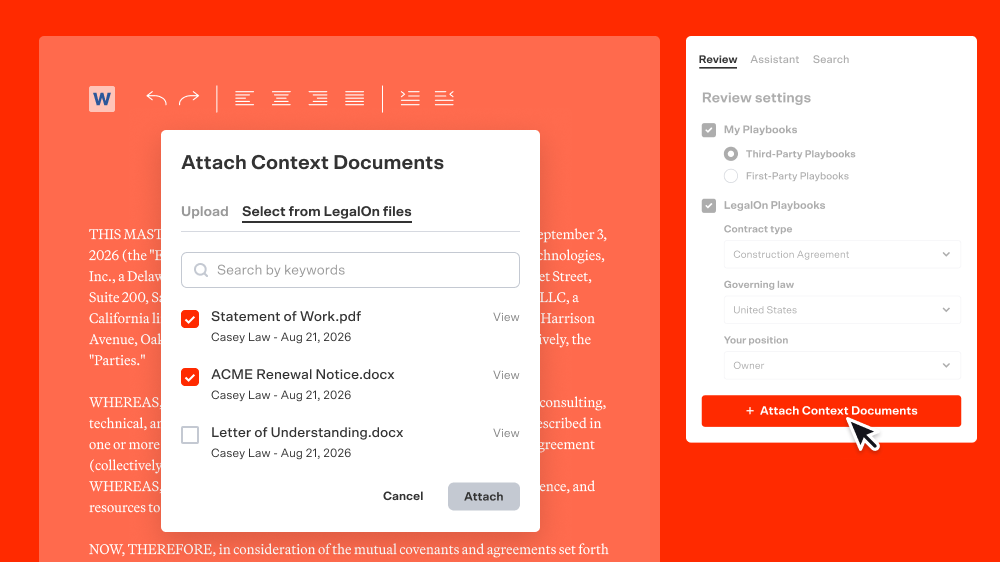
Contracts rarely live alone. A lease has a side letter. An MSA has amendments. You already review these as a set, cross-checking terms across documents as you go. With Cross-Document Review, LegalOn can pull in related contracts as context while reviewing your primary document, catching inconsistencies and dependencies you might miss working from a single file.
Why it matters: A clause can look totally fine on its own and still contradict something buried in a side letter you reviewed last month. Cross-Document Review catches that for you, so you're not stuck manually cross-checking every related file.
Try it: Select related documents alongside your primary contract and start your review to see LegalOn use them as context automatically.
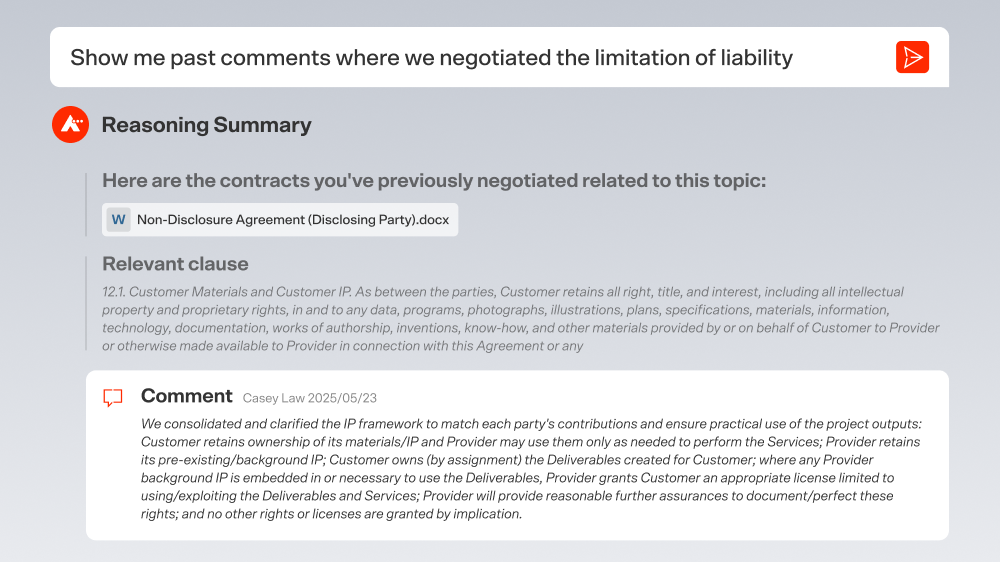
Every comment you've ever left in a Word contract is now something you can just ask your Assistant about.
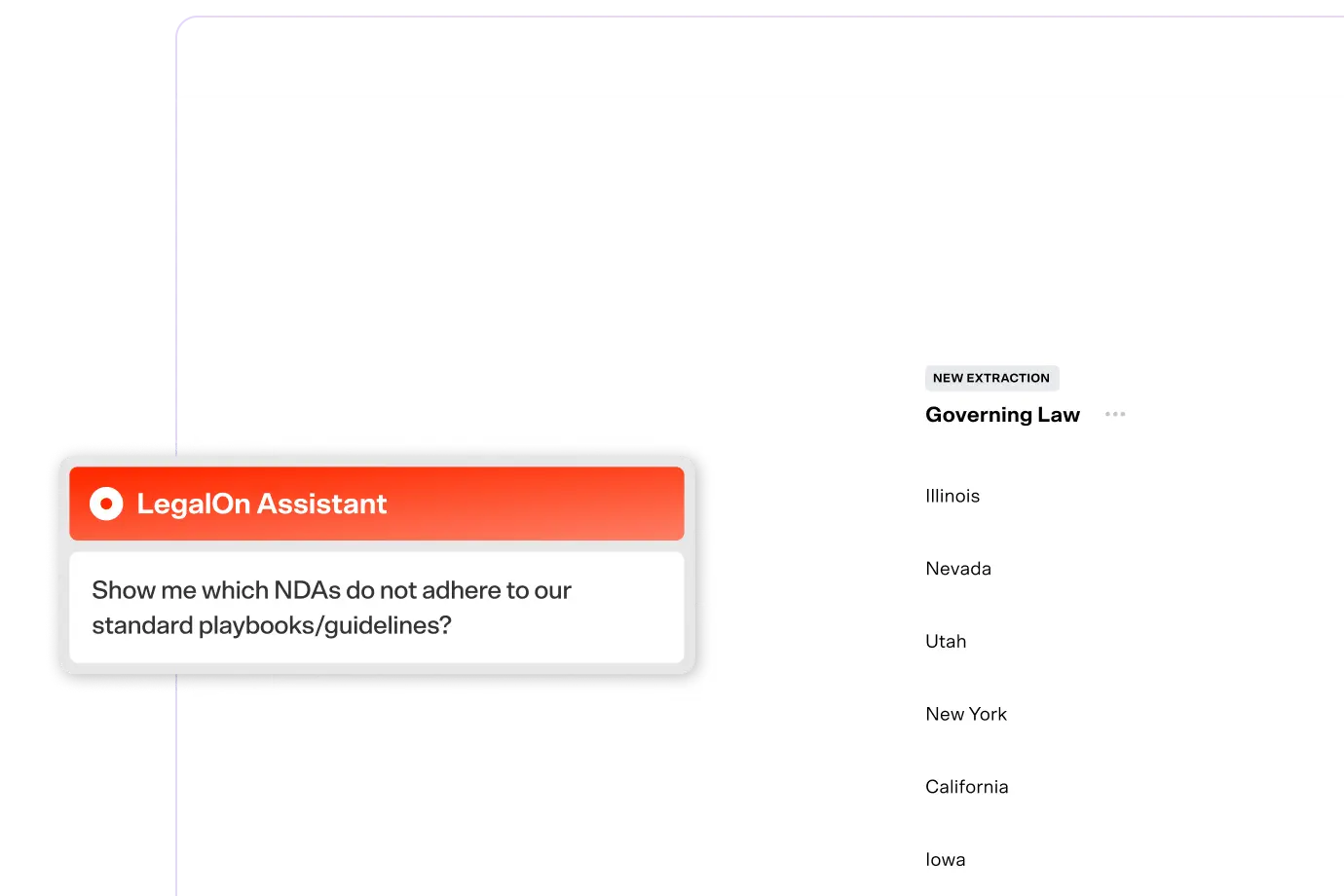
Searchable Negotiation History turns your Word comments into a searchable record. Instead of remembering who flagged an indemnity issue three deals ago and digging through old files to confirm, just ask your Assistant in plain language. You can combine keyword search with filters like governing law, contract type, author, counterparty, status, and date range.
Why it matters: You've built up years of negotiation know-how in your comments. This makes it usable so you can quickly search when questions come up.
Try it: Ask your LegalOn Assistant about a past comment or negotiation point, then narrow the results with filters like counterparty or date range.
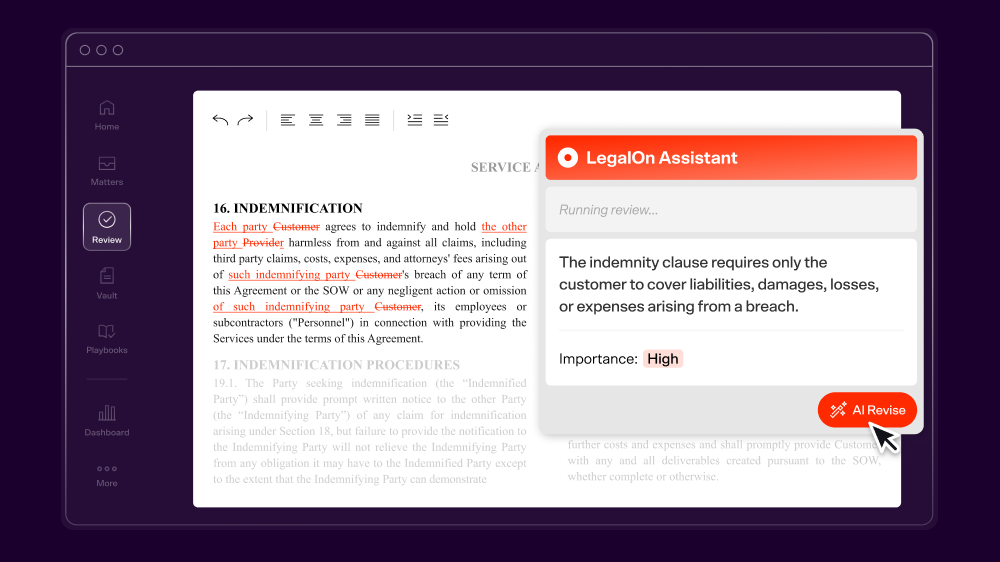
Missing-provisions alerts used to tell you what was missing. Now they help you fix it.
With AI Revise for Missing-Provisions Alerts, live in the Word Add-in and Word for the web, LegalOn suggests the right language for a flagged missing provision and drops it into the contract in the right spot.
Why it matters: Knowing a provision is missing is only half the job. Drafting the fix and placing it is the part that takes time. AI Revise now does both.
Try it: Open a contract with a missing-provisions alert in the Word Add-in or Word for the web, and click AI Revise to insert the suggested language.
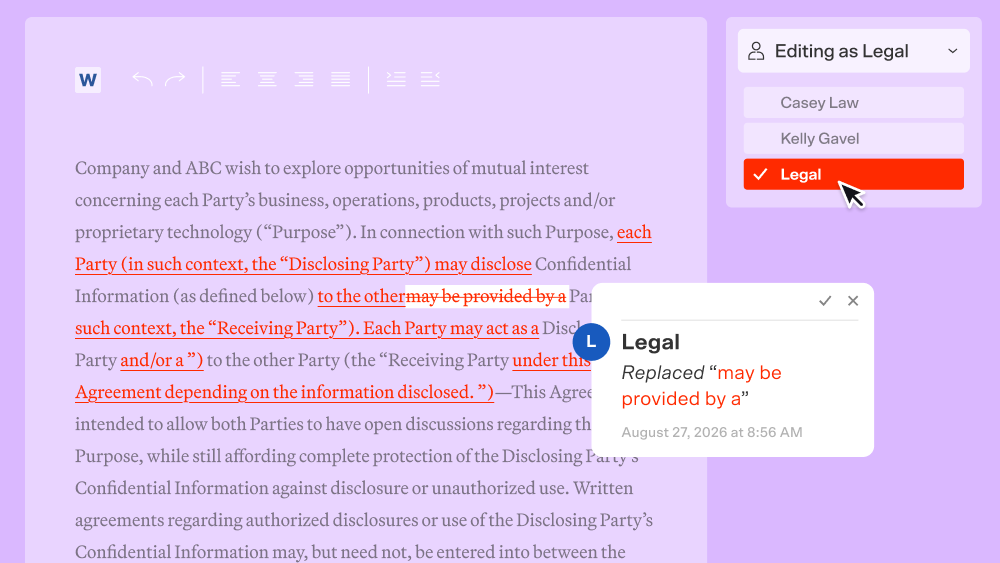
Sometimes all you want the counterparty to see is that a comment came from "Legal," not from you personally. Now you can set an editor name in Word for the Web to show up as the author of your comments and tracked changes. That name carries over everywhere and stays attached to the same comments in any review-result .docx you download.
Why it matters: When you're sending a redline back to a counterparty, it often makes more sense for it to come from a department or company name than an individual.
Try it: In Word for the web, set your editor name once, and it'll show up consistently across comments, tracked changes, and downloaded files.
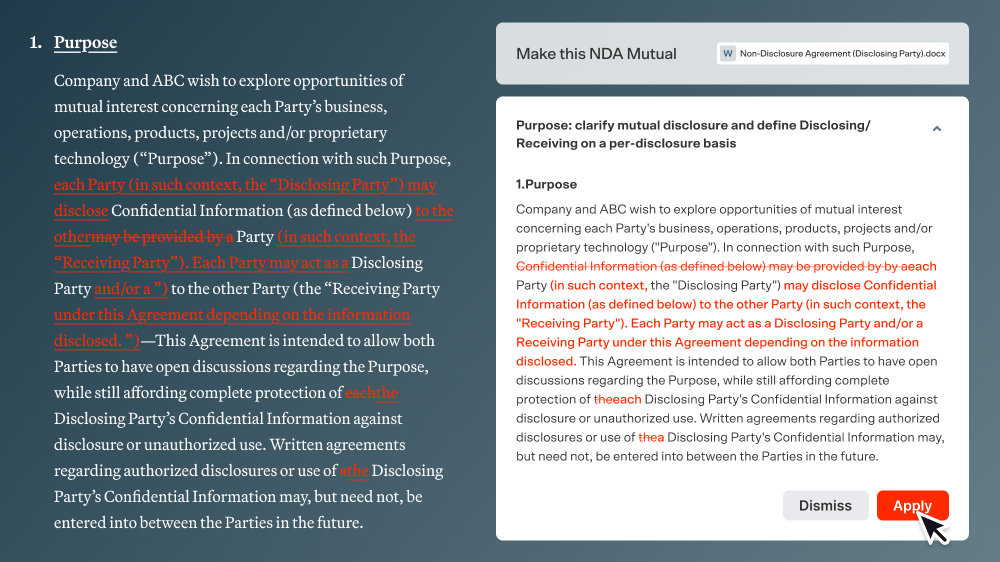
Redlines were already fast to generate. The slow part was waiting for the preview to catch up so you could act on them. That wait is gone. That wait is gone. You can now review and apply individual suggestions the instant they're generated, instead of waiting for the full preview to load. Want to accept everything at once? Wait for the full response to generate, then click "Apply All."
Why it matters: A fast redline doesn't help much if you're still stuck waiting to act on it. Now generation and review are both at the same speed.
Try it: Generate redlines in Direct Edit and start reviewing and applying suggestions right away.
All features are live and available to LegalOn customers.
Want to know more? Contact us or reach out to your customer success manager.