.svg)

Brief
“Claude for Legal” is Anthropic’s newest expansion of Claude, bringing 4 new plugins relevant to in-house use cases (commercial, corporate, privacy, and AI governance) and integrations with legal tools such as Thomson Reuters and Harvey.
Claude’s expanded plugins and connectors deliver real productivity gains for AI review, drafting support, and document Q&A. For in-house legal teams, a dedicated legal AI productivity platform like LegalOn delivers much more functionality than Claude in one unified interface that covers the full legal work day.
Launched in May 2026, Claude for Legal promises to resolve the most significant bottlenecks in contract review and matter management, bringing AI-assisted contract review, summarization, and legal Q&A right into Claude Cowork’s agentic environment.
But what can Claude for Legal actually do for in-house counsel? Where does it have limits, and when does a purpose-built legal AI tool deliver more?
Here's what in-house legal teams need to know about Claude Cowork’s new legal tools, and where a dedicated legal productivity platform, such as LegalOn, makes the biggest impact.
LegalOn cuts contract review time by up to 85%, so your team can focus on the work that matters. Book a demo →
Claude for Legal is Anthropic’s expansion of Claude’s legal workflows, integrations, and capabilities, providing dedicated AI assistance for common legal tasks. From redlining to legal research, Claude Cowork can now connect to other legal tools and use pre-made skills and plugins to expedite the most labor-intensive parts of a legal team’s workday.
Claude for Legal brings two notable offerings:
Rather than having to leave their existing tools to interact with AI, in-house teams can now stay in Claude Cowork, which carries context from your legal tech stack.
All of this is backed by a plugin library—published as an open-source repository on GitHub—that covers 12 practice areas, from in-house commercial law to regulatory law. Each plugin comes with pre-built skills for legal workflows and includes a setup interview that calibrates it to your team's specific playbooks, escalation chains, and risk thresholds.
For in-house legal teams already using Claude, exploring Claude’s new legal plugins and connectors is a natural next step. But it’s essential to evaluate the benefits and drawbacks before investing the time to configure Claude for legal work.
Should in-house teams use Claude for Legal?
Yes, with a caveat. For in-house legal teams curious about AI, Claude’s new legal integrations and plugins are a good place to start. Claude Cowork can now handle real legal work, such as contract review, summarization, and research.
The data proves its value: In our 2026 Contract Review Benchmark study, we found that Claude Opus 4.6 was the strongest general-purpose model tested for contract review, one of the most time-consuming tasks in a legal workday.
Here’s why general counsels should consider the tool:
With its newest connectors (Consilio, Everlaw, and Solve Intelligence among them), Claude Cowork now pulls information from other environments, preventing context switching. It also lets legal teams access AI assistance within the tools they already use, such as Word and email.
For teams with no current AI stack, that’s a low-friction entry point. No new platform to learn, no migration project, and no restructuring of how your team operates.
Drafting a quick NDA summary, researching a regulatory question, and preparing for a business stakeholder meeting: Claude handles general legal work competently.
For in-house counsel who spend a meaningful portion of their week on tasks that don't require specialized contract intelligence, the tool can fill real gaps.
No AI tool is perfect, and Claude for Legal is no exception. Anthropic has built something genuinely useful for legal work, but “useful” and “purpose-built” are different things.
Our 2026 Contract Review Benchmark study found that Claude Opus 4.6 was about 17.6x slower than LegalOn at contract review, averaging 40.4 seconds per contract compared with LegalOn’s 2.3 seconds. This illustrates the difference between a general AI and a productivity platform built for legal teams.
Here are the limitations to consider:
Each plugin begins with what Anthropic calls a “cold-start interview,” a setup process that teaches the plugin your specific playbooks, escalation chains, risk calibration, and house style.
The plugins are at their best when you customize them with your own legal playbooks. Without that investment, you're working with generic defaults.
The setup interview for a single plugin takes at least 2 minutes. Getting one to reflect your team’s actual standards requires time. For legal teams already stretched thin, that time investment is worth evaluating.
Claude for Legal launched with more than 20 Model Context Protocol (MCP) connectors to legal tech tools. That is an impressively broad ecosystem. But the breadth of connectors does not equal a unified workflow.
Each connector requires configuration and an active subscription to the underlying tool. That’s a different experience from using a purpose-built legal productivity platform that handles intake, triage, review, redlining, and matter tracking in one place.
Claude and other general AI tools still rely on infrastructure that you personally have to integrate and govern. That said, the plugins themselves are worth understanding — especially if your team is evaluating where Claude for Legal fits into your existing stack.
Each of Claude’s 12 new plugins covers a distinct legal workflow. They are available to all paid Claude subscribers and can be installed from the open-source GitHub repository.
The most relevant plugins for in-house legal teams are:
The commercial-legal plugin is the most directly applicable to the everyday work of in-house commercial counsel. It covers vendor agreement review, NDA triage, SaaS subscription review, amendment history tracking, and renewal management.
In Word, it outputs tracked changes in redlines the same way a human reviewer would mark up a document. It can also export a renewal register to Excel, sorted by cancel-by date—a practical tool for teams managing large contract portfolios.
For a new in-house counsel at a growing company, this plugin offers a real starting point for triaging a vendor contract backlog.
The corporate-legal plugin is designed for M&A diligence, closing checklists, board consents, and entity compliance tracking.
The plugin can be configured for board work, but to do so, you’ll need to take several extra steps, including editing the resulting practice profile file manually if needed.
For legal teams that have the bandwidth to invest in that configuration, it's a capable framework. For teams looking for out-of-the-box governance support, the configuration overhead could be time-intensive.
The privacy-legal plugin reviews DPAs against your playbook, triages PIAs and DPIAs, prepares DSAR responses within statutory timelines, and flags gaps between written policy and actual practice.
The DSAR workflow walks teams through scope determination, data inventory, redaction, and response drafting, helping reduce missed deadlines when handling regular request volume.
It’s built for GDPR and CCPA out of the box. Teams operating under other jurisdictions will need to run the cold-start interview with jurisdiction-specific examples before the output reflects their regulatory environment.
The ai-governance-legal plugin handles AI use-case triage, AI impact assessments, vendor AI review, and AI regulatory gap-checking.
Given the pace of AI regulation in 2026, this is increasingly relevant for in-house teams in SaaS and technology.
Employment Legal, Product Legal, Regulatory Legal, IP Legal, Litigation Legal, Legal Clinic, Law Student, and Legal Builder Hub address more specialized or firm-facing use cases.
Product Legal and Regulatory Legal are relevant to in-house teams embedded within product organizations or managing compliance functions, but their value depends on the plugin’s exact configuration.
Model Context Protocol (MCP) connectors are technical bridges that enable Claude to integrate with the tools your legal team already uses, such as your contract management system, document storage, or e-signature platform. It then pulls in relevant information without you having to copy and paste or switch screens.
The newly expanded MCP connector ecosystem is where Claude for Legal's breadth becomes apparent.
Here are the most useful ones for in-house teams:
Contract Lifecycle and Document Management Connectors
Legal Research Connectors
Deal Rooms and Transactions:
These connectors ride on top of existing Claude paid plans, but a team that wants the full connector stack still needs active subscriptions to each platform — Ironclad, iManage, Thomson Reuters, Harvey, and so on.
The connectors are only as useful as the workflows you build around them. Here's how in-house legal teams are using Claude for Legal and where it shines.
Getting the most out of Claude for Legal means combining the right prompts, the right practice-area plugins, and the right integrations with your existing tools.
The commercial-legal:review skill in Claude for Legal’s plugin library handles first-pass triage well. Upload a vendor NDA or MSA, and the plugin returns an issues list flagged against the playbook you described during the cold-start interview, along with proposed redlines.
For teams without a current AI stack, this is a practical starting point.
Limitation: A weak setup interview produces weak reviews. Without a well-configured practice profile, the plugin reviews against generic commercial standards rather than your organization's specific positions.
For agreements where your fallback positions matter—which is most of them—a tool that applies your standards automatically is a stronger alternative. LegalOn's attorney-built playbooks cover 50+ contract types and flag issues against your organization's specific thresholds from Day 1.
Claude’s Microsoft 365 integration lets teams draft clauses, suggest revisions, and iterate on language directly in Word. Paired with a plugin that has a contracts-related skill, Claude can output tracked changes.
It also preserves numbering, defined terms, cross-references, and styles, just like a human reviewer would.
Limitation: Redlining is where attorney-grade precision matters most. Claude will generate language that is plausible and grounded in the standards you've configured, but "plausible" and "attorney-vetted" are not the same thing. LegalOn generates redlines anchored in attorney-vetted positions, which is a meaningful distinction when the other side's counsel is reviewing your markup.
Connected to Thomson Reuters' CoCounsel or Legal Data Hunter, Claude can conduct research grounded in primary law sources.
That said, without a research connector, every citation is drawn from training data rather than a current database.
This is a limitation that the GitHub repository explicitly flags. It notes that citations will be marked [verify] until a research tool is connected.
Limitation: Legal research often turns on recent case law, regulatory guidance, or jurisdiction-specific nuance. The quality of Claude's research output depends significantly on which connectors are active. Verify outputs using primary sources before relying on them for legal advice, regardless of which research tool is used.
With Outlook integration and the right MCP connectors configured, Claude can triage incoming legal requests. It can flag contract requests via email, suggest priorities and routing, and schedule follow-ups.
You can even run intake triage at scheduled intervals.
Limitation: Without a dedicated matter management system, intake through Claude remains ad hoc. There is no centralized view of all matters, no status tracking, and no workflow analytics. LegalOn's Matter Management centralizes intake across contracting, counseling, and governance, giving legal leadership the visibility that a chat-based tool cannot replicate.
With Ironclad, iManage, or NetDocuments connected, Claude can query documents and contract repositories in plain language.
This is among the strongest use cases for Claude in an in-house legal environment. You can ask a specific question about a specific agreement, then get a direct answer without leaving your workflow.
Limitation: Unlike a knowledge management platform, such as LegalOn’s Knowledge Core, Claude doesn’t provide a searchable knowledge base of legal standards, allow you to track accepted precedent language, or surface fallback positions across all of your agreements. This is the sort of institutional knowledge that makes every subsequent review smarter.
How does Claude Cowork actually stack up against a purpose-built legal AI productivity platform like LegalOn? Here's an honest look at how each handles the workflows that define an in-house legal team's day.
Claude Cowork: With MCP connectors and Outlook integration configured, Claude can receive and categorize incoming requests, summarize their nature, and suggest routing—and scheduled intake triage can run automatically. But intake is only as structured as the prompts and integrations you've built around it. There's no native matter management layer.
LegalOn Matter Management: LegalOn centralizes all matters and automatically categorizes them by type, department, and urgency. Status tracking, assignee management, and due-date visibility are all there from Day 1 with no custom configuration needed.
Claude Cowork: The commercial-legal:review skill handles vendor agreements, NDAs, and SaaS subscriptions, with tracked changes in Word. How well it performs depends on the quality of the cold-start interview and how thoroughly the practice profile has been configured.
LegalOn Contract Review: Across a study of 3,282 contracts, LegalOn was 17X faster at contract review than Claude Opus 4.6. An unbiased LLM judge preferred LegalOn’s accuracy over Claude’s 1.8X of the time.
Our tool flags risks across 10,000+ pre-built legal issues spanning 50+ contract types, each crafted by contract attorneys. It compares agreements against your organization's specific positions, generates attorney-standard redlines, and works directly in Microsoft Word or your browser—no switching required.
Claude Cowork: Playbook context lives in a Markdown-based practice profile that the cold-start interview creates. Teams can edit it manually and re-run the setup to update it, but consistency across reviewers depends on how carefully those profiles are maintained.
LegalOn Playbooks: Playbooks are built in plain English, applied automatically at every review, and maintained centrally so your whole team works from the same standards. When your positions change, you update the playbook once.
Claude Cowork: Connected to Thomson Reuters' CoCounsel or Legal Data Hunter, Claude handles regulatory questions, explains legal concepts, and drafts internal guidance competently, with citations verifiable against primary sources.
Without a research connector, citation quality degrades. This is where a fully connected Claude setup gets closest to a specialized tool.
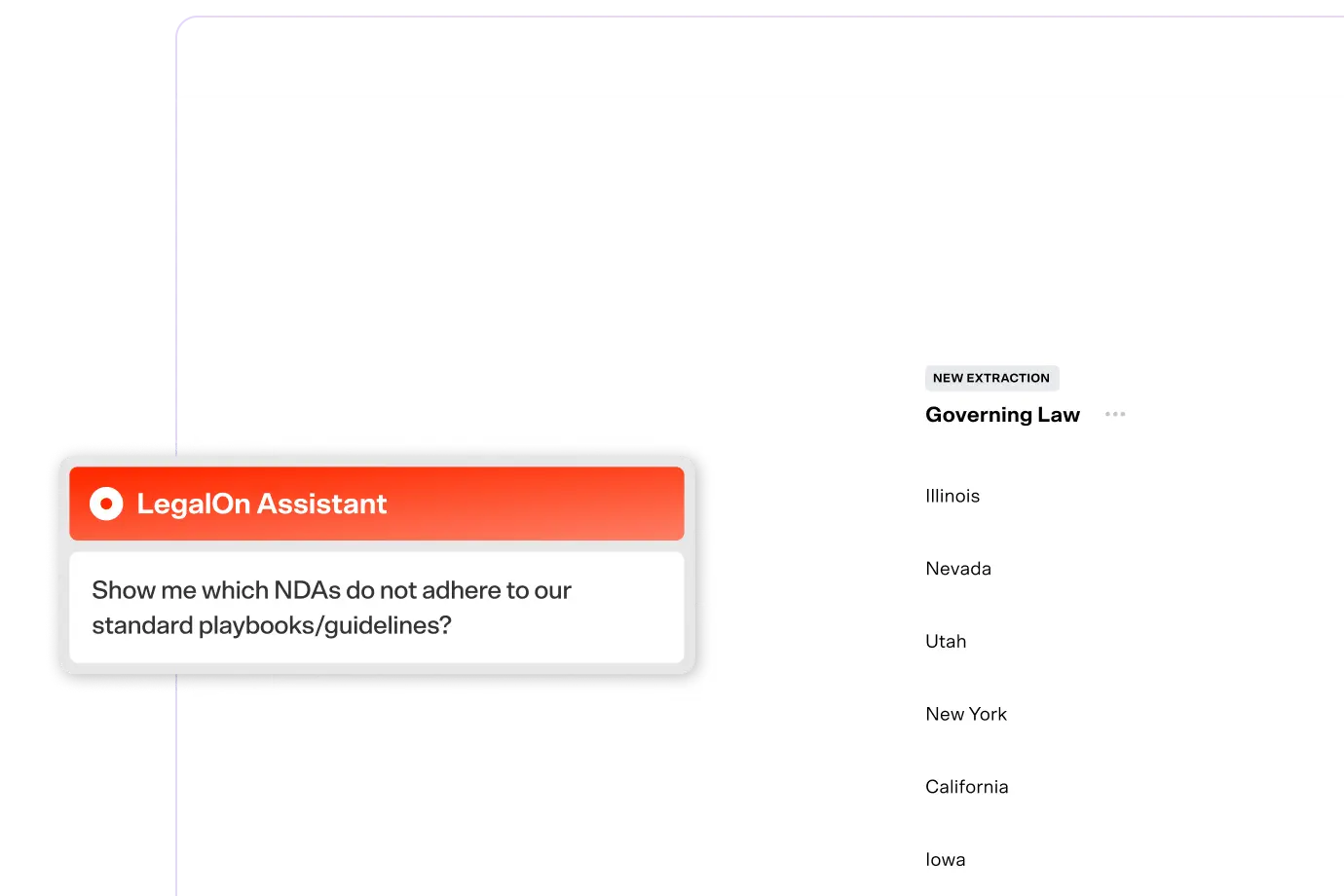
The LegalOn Assistant: Your LegalOn Assistant handles everyday legal questions from business stakeholders— summarizing agreements, explaining obligations, flagging risks—with attorney-grounded intelligence connected to your organization's actual contracts and legal standards.
Claude Cowork: The corporate-legal plugin covers board consents and entity compliance tracking. Getting it to reflect your actual governance structure means manually configuring a Markdown practice profile. This is workable for a technically comfortable team, but not a turnkey solution.
Fides by LegalOn: Fides handles board and entity management as part of LegalOn’s unified productivity platform, so your governance capabilities sit alongside contracting and counseling in one place.
Claude Cowork: Without significant custom integration, there's no structured reporting layer. Teams can query Claude about their work, but there's no native visibility into matter volume or team capacity.
LegalOn: Legal leadership gets clear visibility into matter volume, cycle times, team capacity, and contract outcomes—the operational data that helps legal teams demonstrate business impact and make the case for resources.
Anthropic is transparent about the current limits: Claude for Legal is a research preview, and Anthropic recommends that an attorney review all outputs before taking any action.
On data privacy, Team and Enterprise plan customers have a contractual commitment that their data won't be used to train Anthropic's models. Pro plan users are opted out by default. If your team regularly handles privileged or sensitive information, the Team plan is the floor, not a nice-to-have.
The basic setup is straightforward: browse the plugin marketplace in Claude Cowork.click Install, and it appears in your workspace ready to use. The initial configuration is conversational, no coding required.
Where it gets more involved is tailoring a plugin to reflect your organization's specific standards and workflows, which means editing configuration files that aren't exactly lawyer-friendly. A legal operations manager or legal engineer will handle it comfortably. For most GCs, it's worth knowing what you're signing up for before you start.
This one deserves careful attention. In February 2026, Judge Jed S. Rakoff of the Southern District of New York ruled in United States v. Heppner that written exchanges with Claude carried neither attorney-client privilege nor work product protection—the first federal precedent of its kind.
The ruling is narrow and fact-specific, but the signal is clear: before using Claude, in-house teams should review their AI use policies and loop in outside counsel.
For general research, drafting support, and document Q&A, Claude for Legal delivers real value. But the work that consumes most of an in-house legal team's day—playbook-driven contract review, attorney-standard redlining, matter management, institutional knowledge that builds over time—is where a purpose-built platform pulls ahead.
In our 2026 Contract Review Benchmark study, we compared LegalOn to Claude and 10 other general-purpose AI models across 3,282 head-to-head contract reviews and 21 critical contract guidelines. LegalOn completed full contract reviews in 2.3 seconds — 17x faster than Claude Opus 4.6, the strongest general-purpose model tested.
But speed is only one component; accuracy is far more important. When comparing contract review accuracy across 3,282 contracts, an unbiased LLM judge preferred LegalOn’s accuracy over Claude’s by 1.8X.
The benchmark results speak for themselves. Claude for Legal is a powerful general-purpose AI with legal integrations bolted on, while LegalOn is built from the ground up for in-house legal.
From Day 1 with LegalOn, you get attorney-built playbooks covering 10,000+ legal issues across 50+ contract types with no configuration required. Contract review, redlining, matter management, and knowledge management all work together in one platform, sharing the same context.
Claude for Legal is part of a broader shift that we’ve believed in since day one: AI-powered legal work is the future of how in-house legal teams operate.
For general productivity, research support, and lightweight drafting, Claude for Legal is a good starting point. The commercial-legal and corporate-legal plugins, in particular, offer in-house teams helpful workflows, especially when configured correctly.
But Claude is still a general-purpose AI. A plugin configured with a markdown practice profile is not the same as a platform where your institutional knowledge and fallback positions live in one place.
Intake, review, negotiation, and contract repository should share the same context, and that is what LegalOn’s AI productivity platform delivers for in-house legal teams. No configuration or external connectors required. Your past precedent, accepted language, and fallback positions all inform the next deal.
See what LegalOn's AI productivity platform can do for your team. Book a Demo →







.png)
.png)

